xinyi-liu profile photo

I’m a UX designer with a foundation in product and digital design. With expertise in UI/UX, prototyping and service design, I create solutions that balance logic, creativity, and feasibility—designing experiences that solve problems and inspire new interactions.
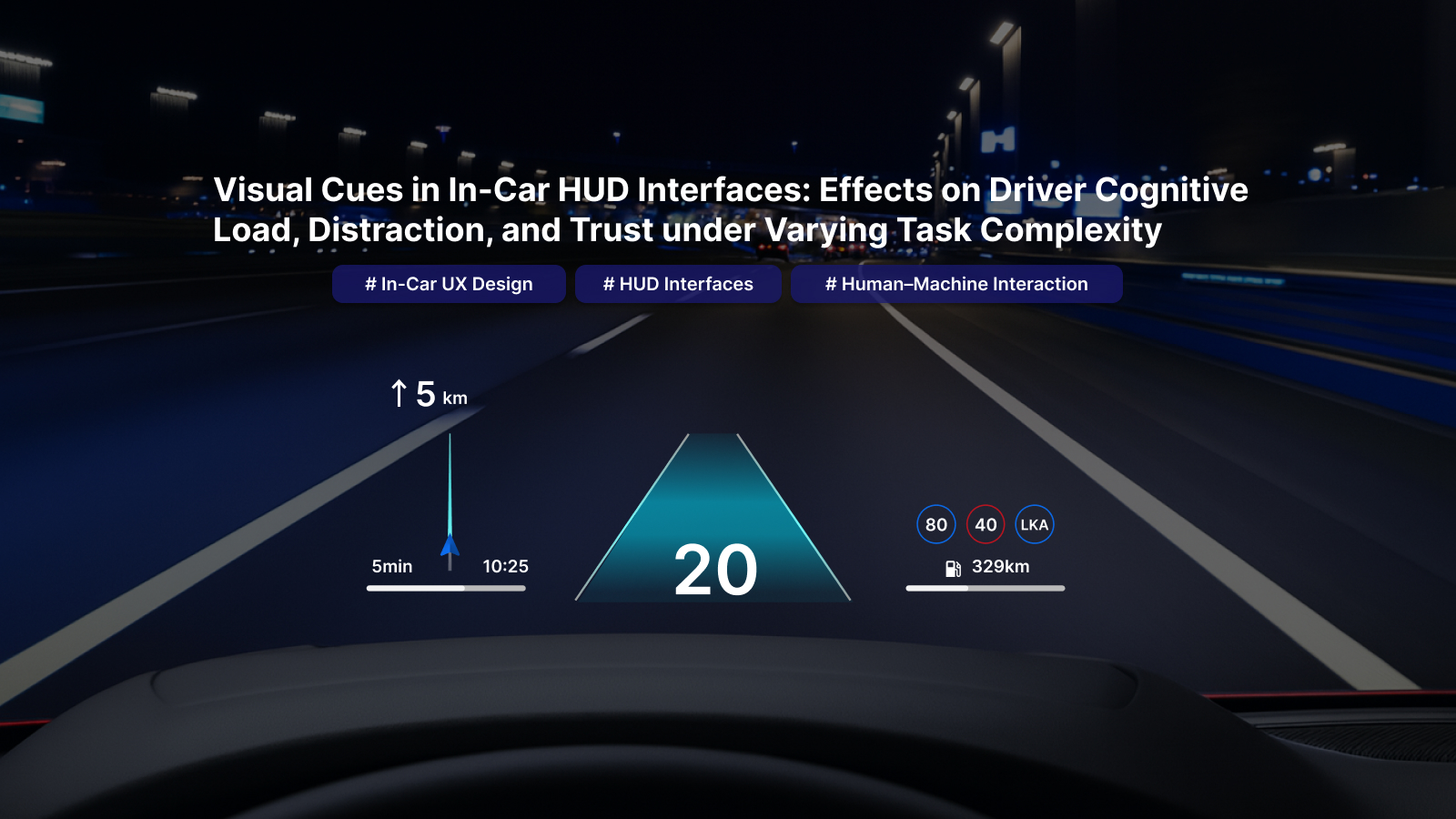
Visual Cues in In-Car HUD Interfaces: Effects on Driver Cognitive Load, Distraction, and Trust under Varying Task Complexity

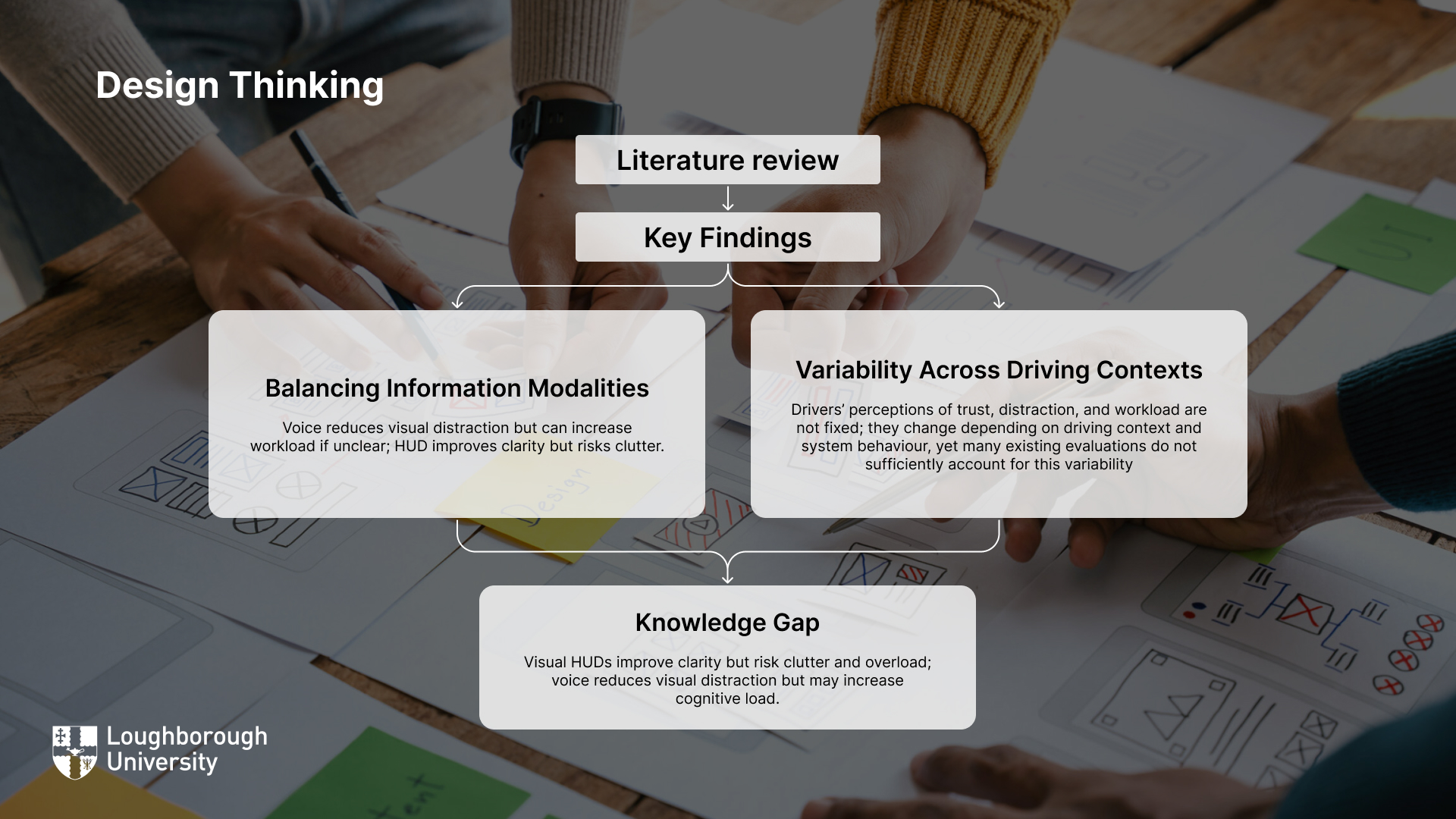
Knowledge gap

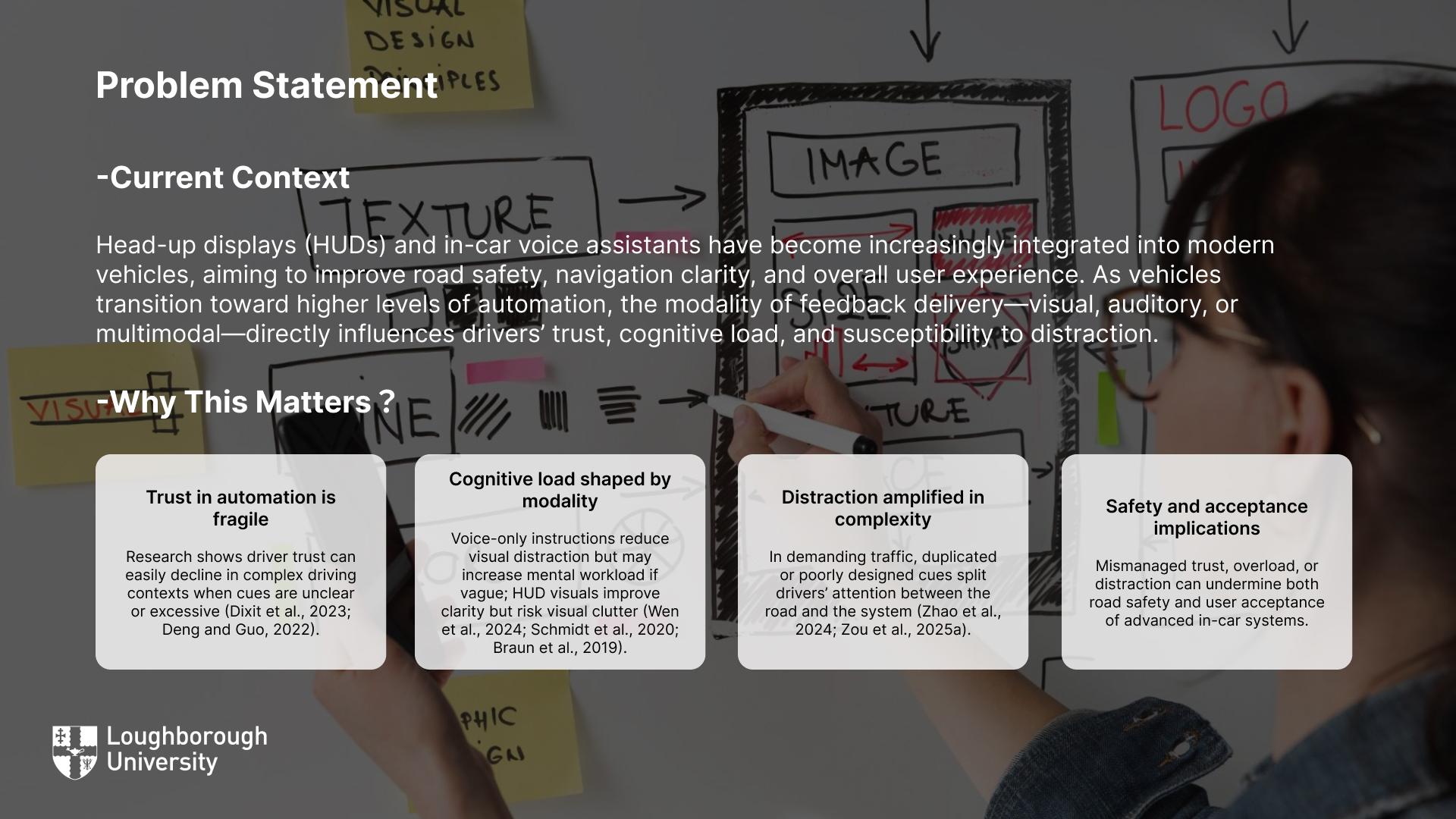
Visual HUDs improve clarity but risk clutter and overload; voice reduces visual distraction but may increase cognitive load.

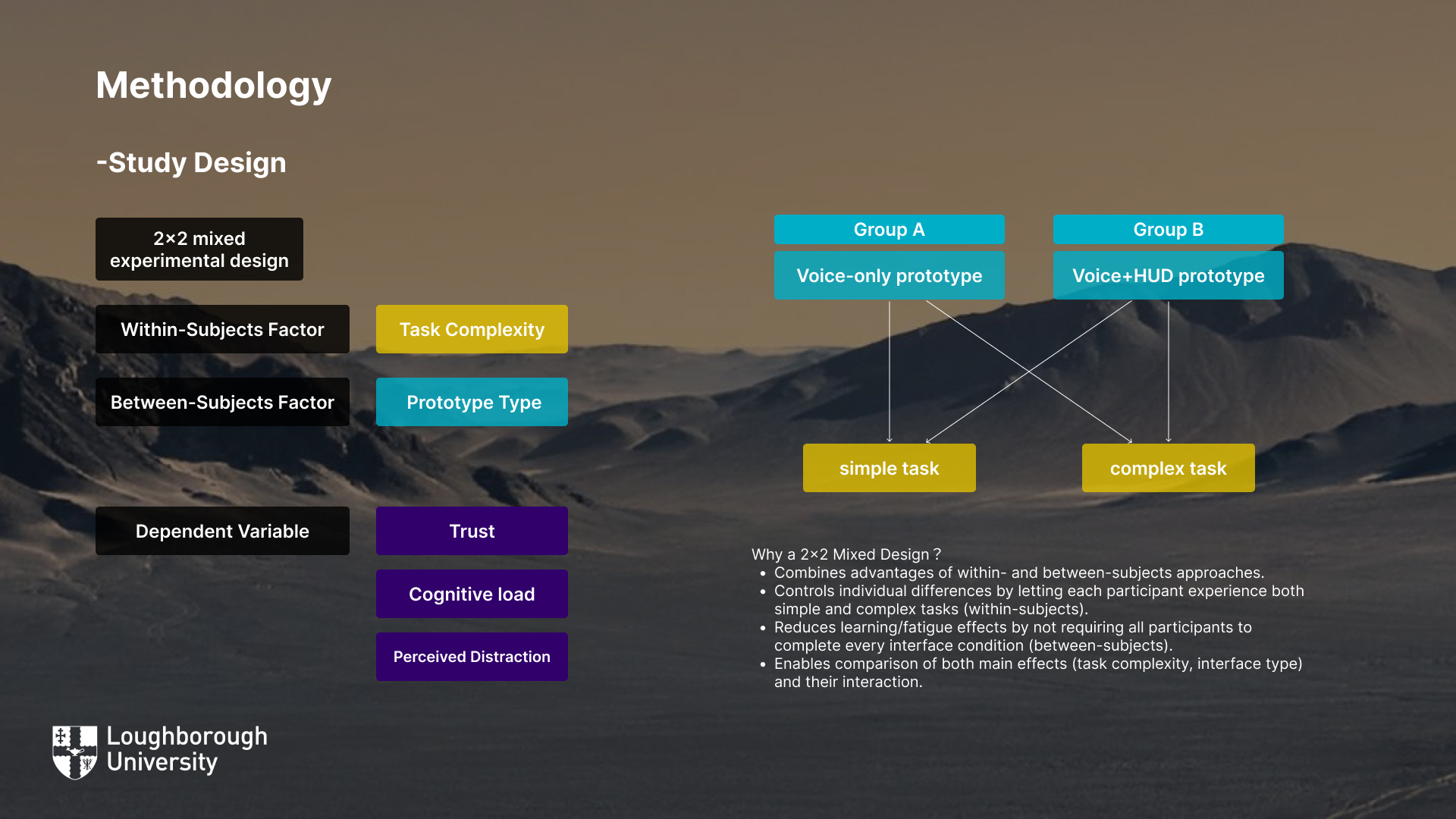
To address this gap, this study aims to explore how voice-only versus voice+visual UI feedback influences driver trust, cognitive load and distraction under simple and complex driving conditions. Specifically, it investigates two research questions:

  1. Is there an effect of task complexity (simple versus complex driving tasks) on perceived trust, distraction, and cognitive load?
  2. Is there an interaction effect between prototype type (voice-only vs. voice+HUD) and task complexity on these outcomes?

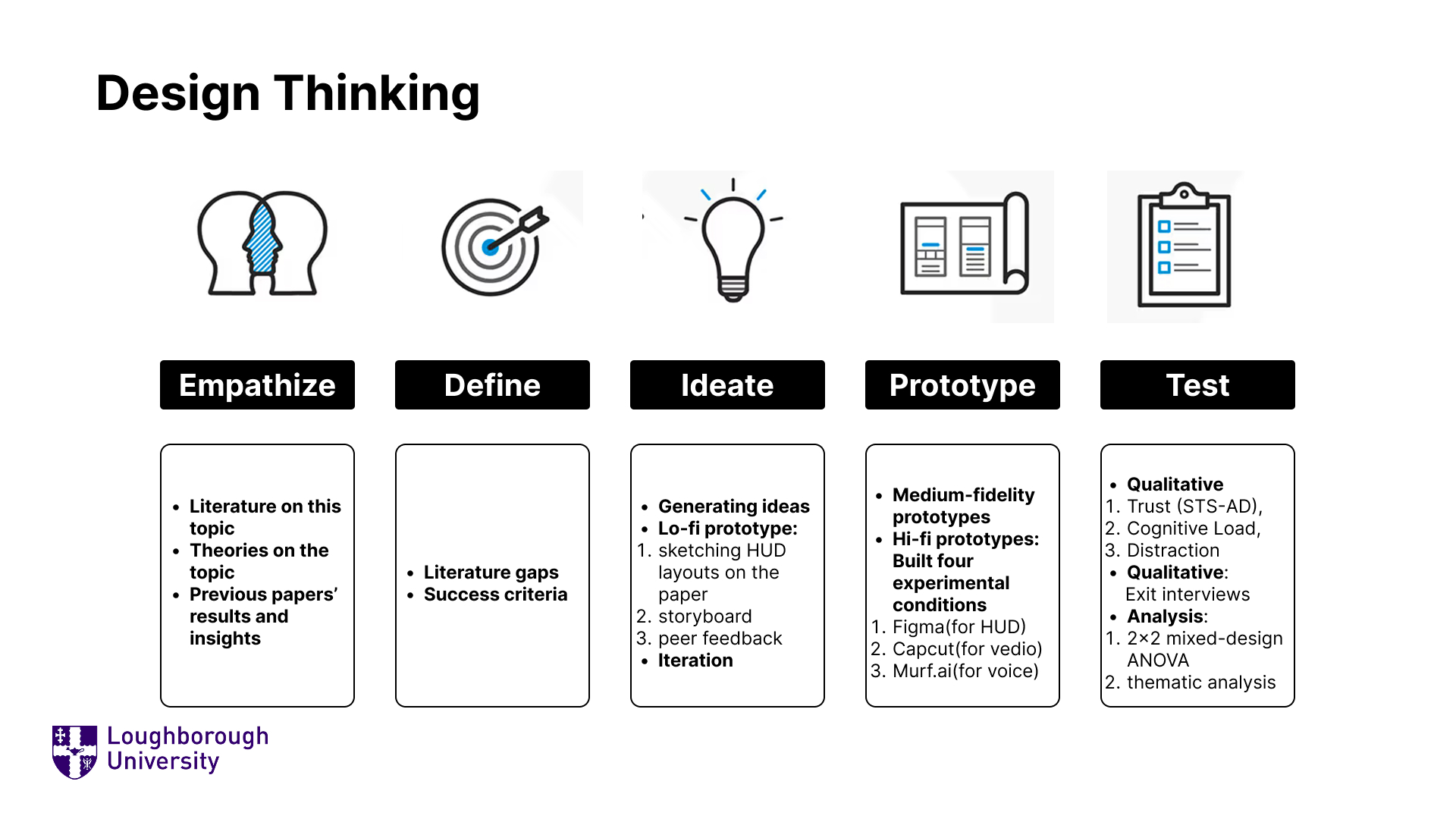
UX Design process

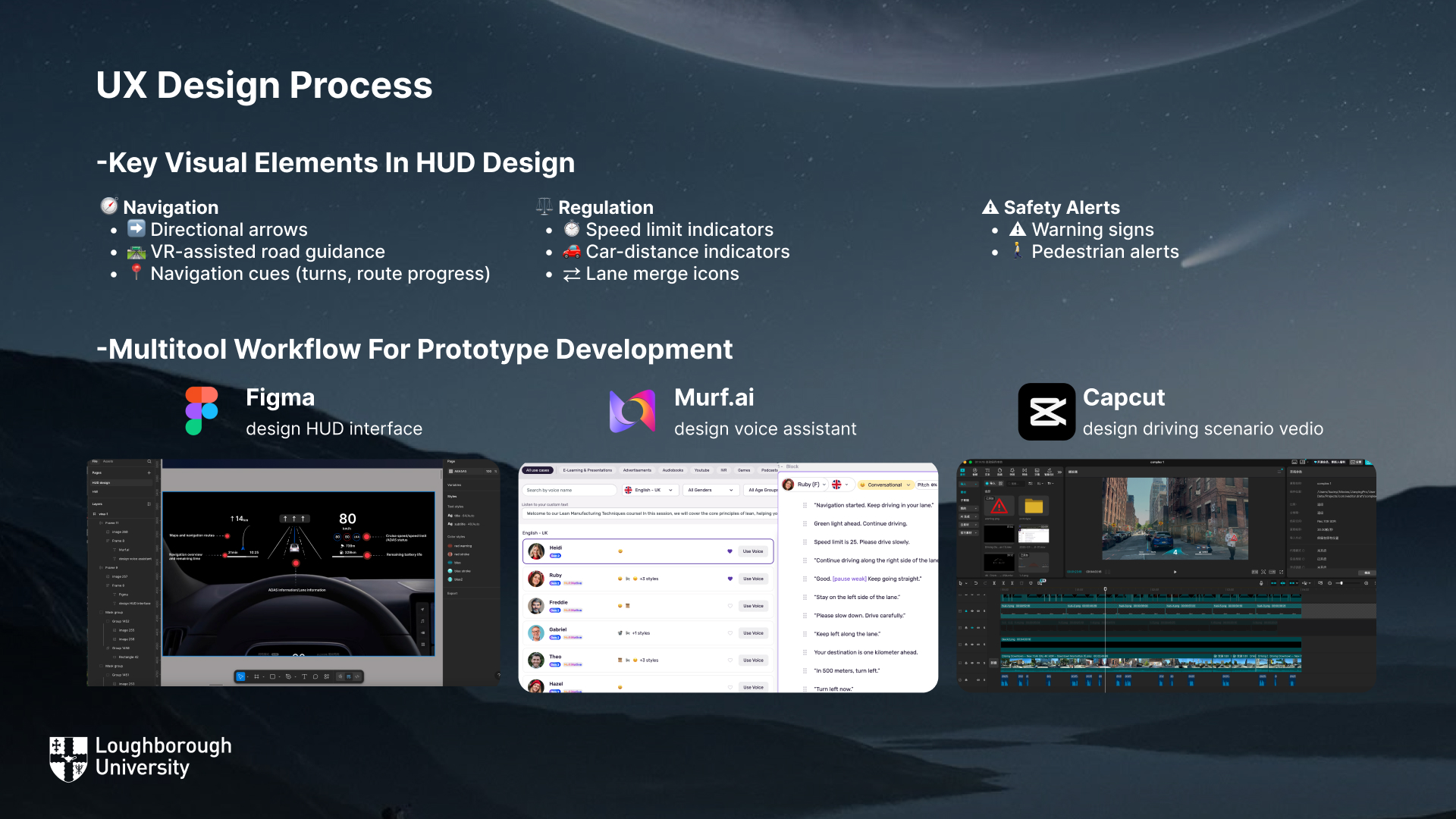
The prototype development process combined several design and media tools to create realistic and high-fidelity in-car interaction scenarios.

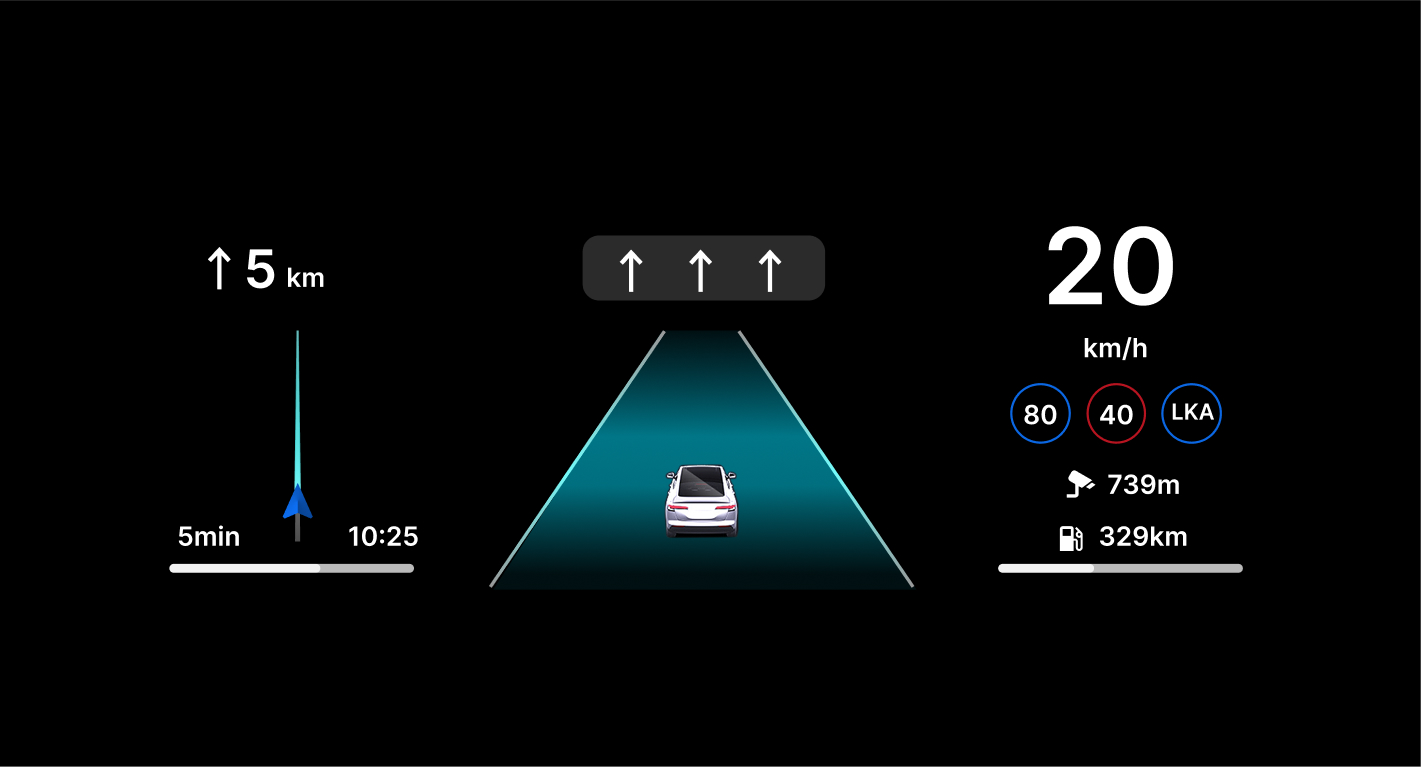
The HUD interface was first designed in Figma, where visual layouts were explored and refined.

To provide auditory feedback, Murf.ai was used to generate naturalistic voice prompts, simulating professional navigation tones.

Capcut was employed to combine voice and visual outputs into coherent driving scenario videos that replicated real-world in-car interactions.

Voice Prompt were generated using Murf.ai, where a conversational female English voice was selected for naturalness and clarity. The tone was designed to be calm and supportive, avoiding abrupt or overly technical language. Prompts were kept short and time-locked to driving events, ensuring alignment with the HUD visuals.

The navigation content included task-relevant instructions such as route initiation (“Navigation started, keep driving in your lane”), traffic updates (“Green light ahead, continue driving”), speed limit reminders (“Speed limit is 25”), etc.

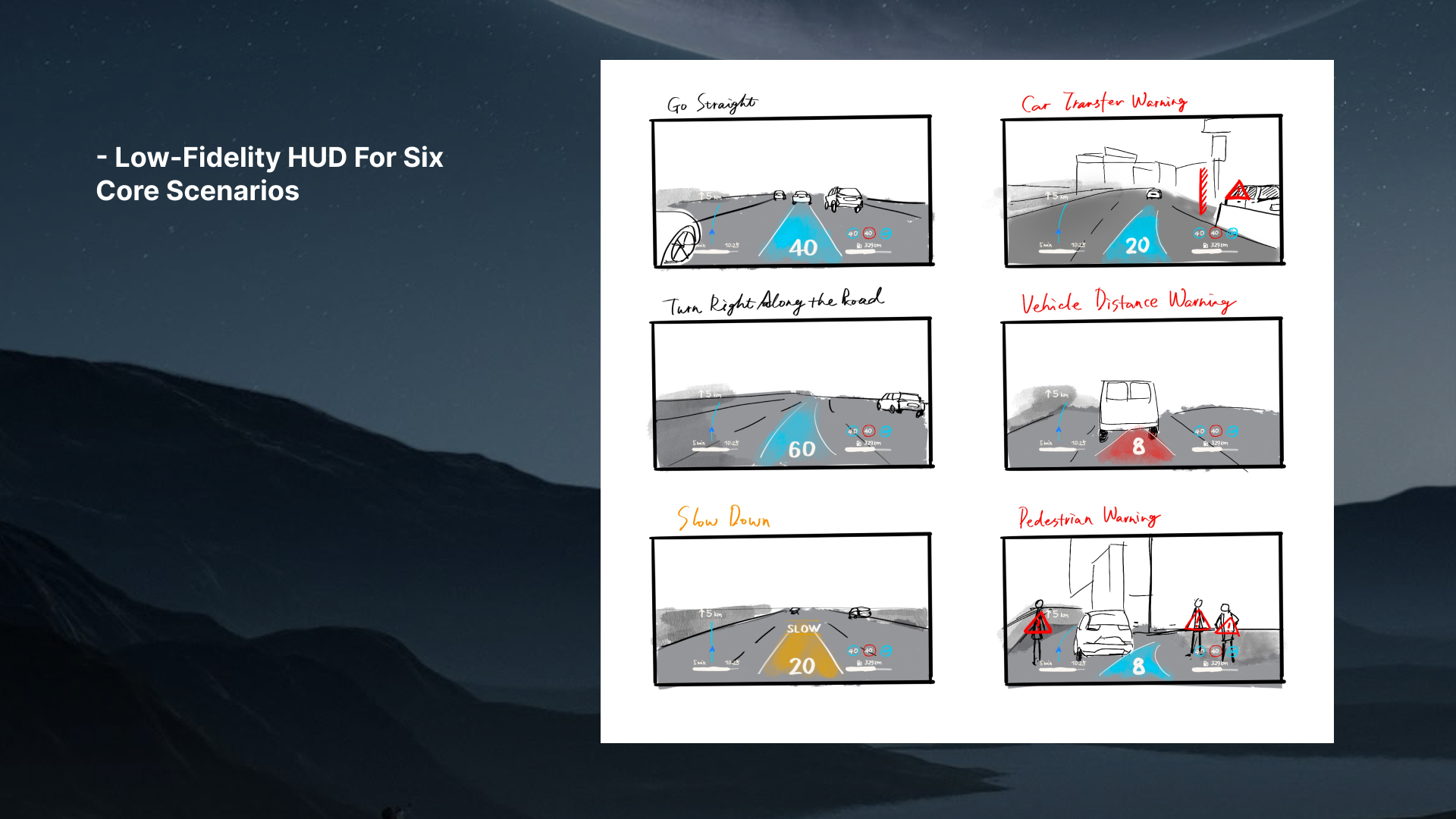
Low-fidelity HUD for six core scenarios

1.     Go Straight
2.     Turn right along the road
3.     Slow down warning
4.     Lane merge warning
5.     Car distance warning
6.     Pedestrian crossing alert

Prototype 1.0 presented a more information-rich interface, displaying lane guidance with a vehicle icon, detailed navigation cues, and multiple indicators.
Prototype 2.0, in contrast, adopted a minimalist approach, reducing non-essential information and focusing on core safety-critical cues such as speed, navigation arrow, and speed limit.
Mock-up HUD interface

HUD cues were embedded into six core driving scenarios — straight driving, right turn, slow down, lane merging, distance-to-vehicle alert, and pedestrian warning — ensuring that both voice prompts and visuals were contextually aligned and time-locked to driving events.

The prototype development resulted in two hi-fi HUD versions, with Prototype 2.0 selected for its clarity and reduced visual clutter. Combined with voice prompts and six core scenarios, these prototypes provided a solid basis for the following experimental study.

Methodology

The HUD scenarios and the two sets of navigation voice prompts were combined to create four experimental prototypes, reflecting both interface modality (Voice-only vs. Voice + HUD) and task complexity (Simple vs. Complex).Each prototype was developed under two task complexity levels (Simple = highway, Complex = urban), resulting in four experimental conditions:

A-Simple – Highway scenario with basic navigation prompts. No visual HUD interface.

A-Complex – Urban scenario with more frequent prompts and hazard warnings. No visual HUD interface.

B-Simple  – Highway scenario combining voice prompts with HUD visuals. The HUD provided simple elements such as directional arrows, speed limit numbers, and navigation bands.

B-Complex  – Urban scenario combining voice prompts with HUD visuals. The HUD included additional critical cues such as merging alerts, pedestrian warnings, and distance-to-vehicle reminders.

Sample size and characteristics
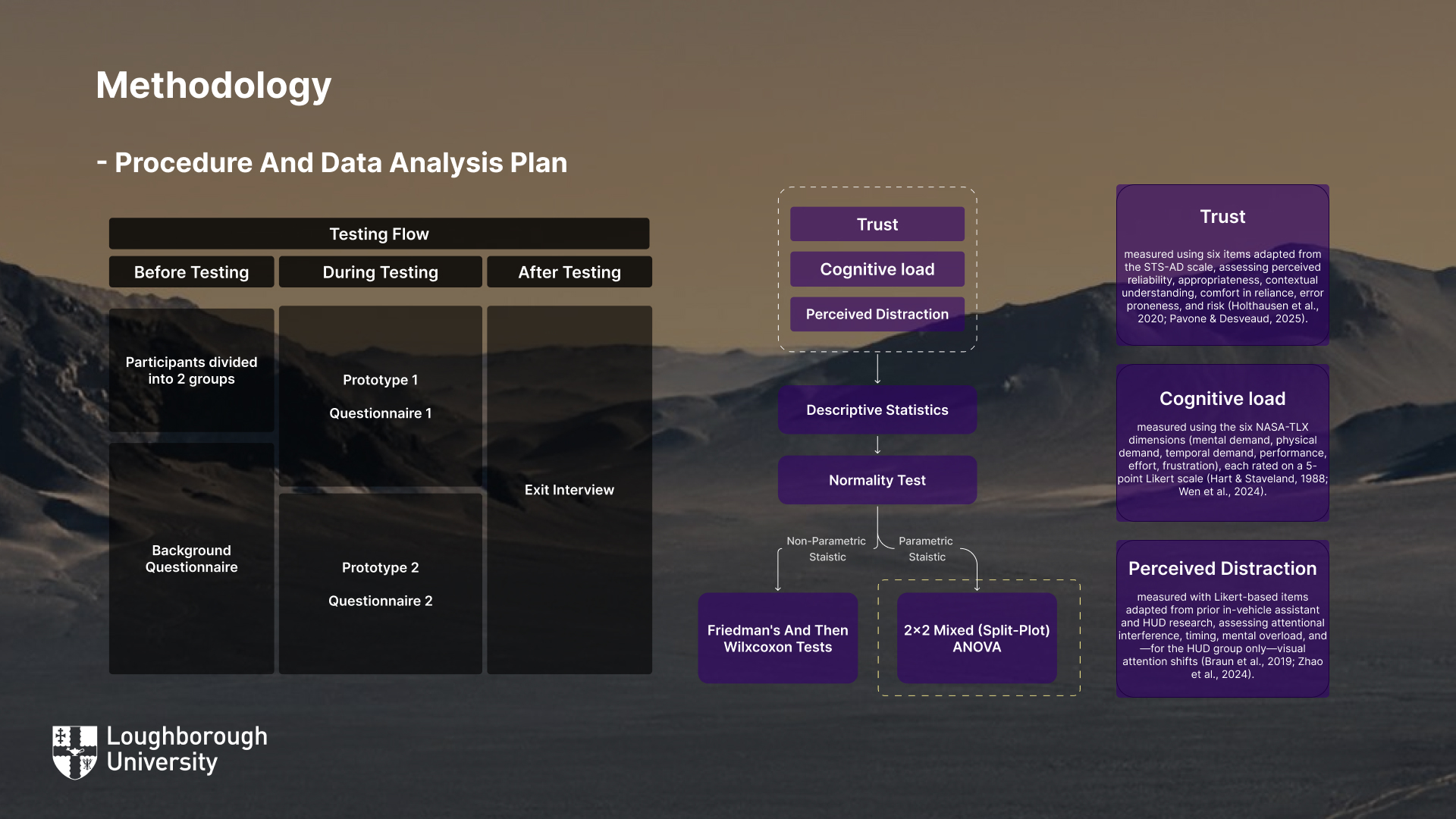
Procedure and Data Analysis Plan

Results of the evaluation

Perceived Distraction

Theme 1: Design and Usability of HUD

Theme 2: Useful Elements of HUD

Theme 3: Effectiveness of Voice + HUD Varies with Task Complexity

Theme 4: Trust in Voice and HUD Systems

Theme 5: Cognitive Load Management

Theme 6: Distraction from Visual Cues

Discussion

This study examined how task complexity and prototype type shaped user experience across trust, cognitive load, and perceived distraction.

For RQ1, the findings showed that task complexity had a clear effect:

  1. Trust declined under complex driving, regardless of prototype.
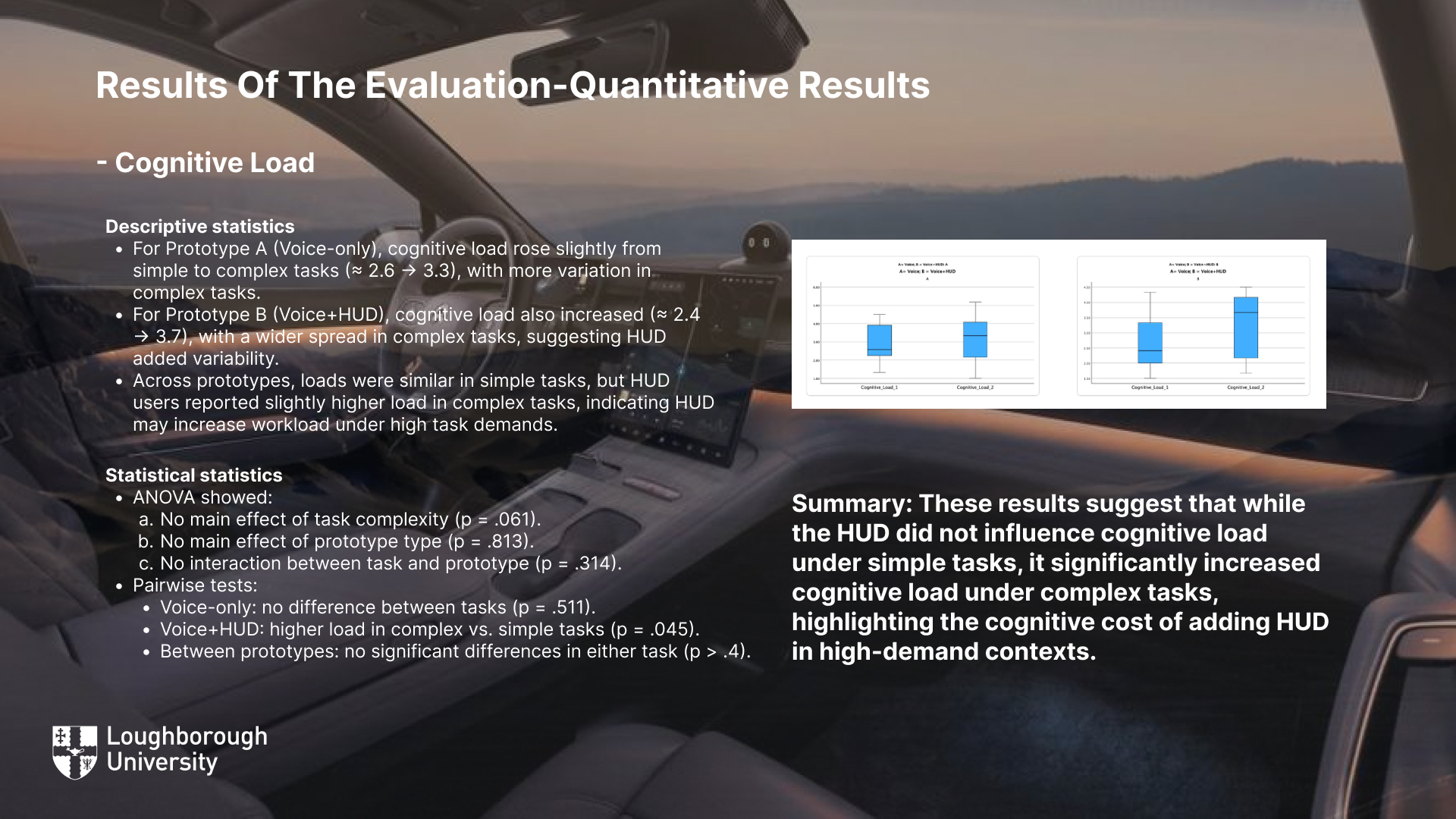
  2. Cognitive load increased in complex tasks, especially for voice-only systems.
  3. Perceived distraction was more pronounced in complex conditions, particularly when HUD elements overloaded visual attention.

For RQ2, the results confirmed an interaction between prototype type and task complexity. Specifically:

  1. In simple tasks, Voice+HUD enhanced trust and reduced cognitive effort compared to voice-only.
  2. In complex tasks, the same HUD features increased distraction and reduced trust, while voice-only systems remained less disruptive.

• Balancing Information Across Modalities

• Context-Aware and Adaptive Design

• Minimising Visual Distraction

• Designing for Situational Trust

• Managing Cognitive Load Effectively

Other works

Here are some of my other works. I’d love to hear your thoughts, connect with like-minded people, and exchange ideas. Let’s chat and make friends!